CI Details
Overview
The CI detail page is used to view and edit complete information about a single CI. The detail page contains multiple tabs, each showing a different dimension of the CI: Details, Component Resources (only displayed when the CI type is Computer), Configuration Topology, and Change History.
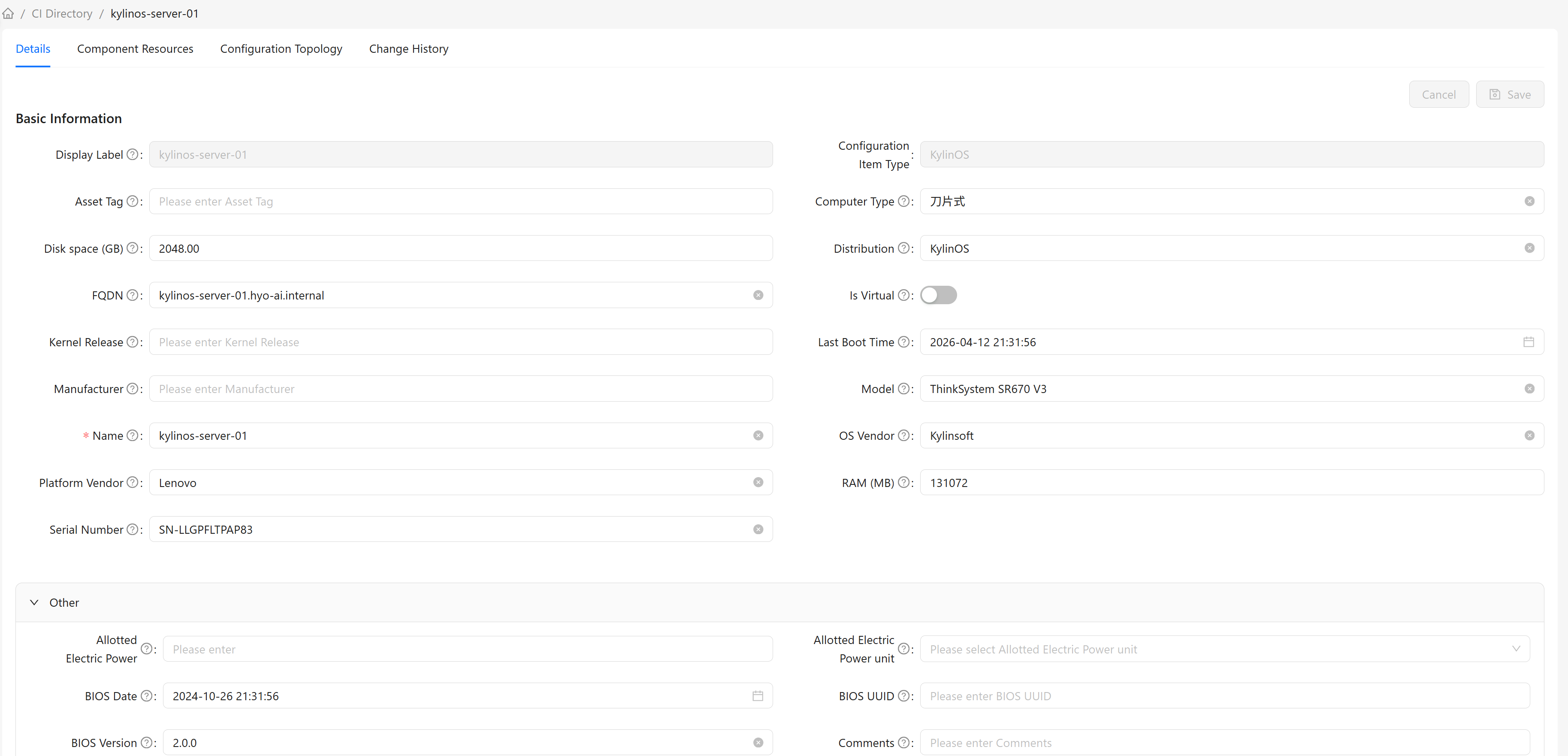
Detail Page Navigation
The detail page contains the following tabs:
- Details - View and edit CI basic information and attributes - View Details
- Component Resources - View the CI's component resources - View Details
- Configuration Topology - View the CI's dependency graph - View Details
- Change History - View the CI's change history records - View Details
The Component Resources tab is only displayed on the detail page of CIs with the Computer type.
Accessing the Detail Page
Whenever a CI instance list appears in the system (such as CI Directory, CI List, global search results, etc.), clicking the display name of a CI opens its detail page.